

Keep your equipment organized with live inventories, routine checks, and clear maintenance records. Wombat Equipment Management helps teams track assets, access equipment details with QR codes, and maintain complete maintenance histories across all sites.

Keep Your Equipment Organized
From fleet vehicles to everyday tools, every piece of equipment needs to be tracked, inspected, and maintained. Paper logs and spreadsheets make it easy for details to get lost or forgotten. Wombat Safety Software centralizes equipment records so teams can quickly find asset details, complete inspections, and track maintenance in one place.
Build a Live Equipment Inventory
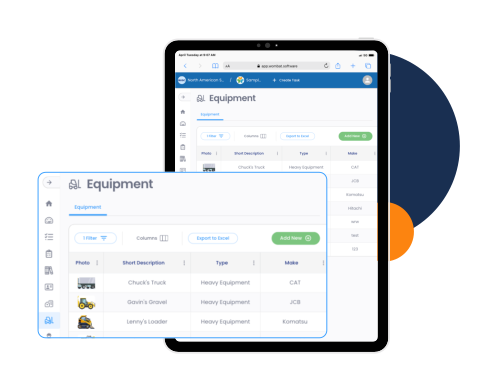
Safety managers and administrators can maintain a complete inventory of all company assets.
- Track and manage equipment in one centralized system.
- Create custom templates for different equipment types.
- Log details like make, model, serial number, and assigned operator.
- Upload manuals, insurance records, and maintenance documents.
- Add photos for quick visual reference.
QR Codes for Instant Access
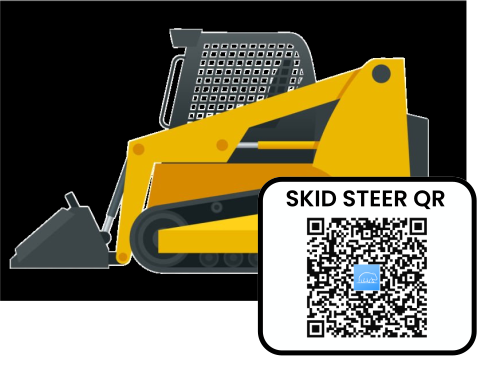
Field workers can access equipment information instantly using QR codes.
- Place QR codes directly on equipment for fast access to records.
- Workers can scan to view manuals, inspection forms, or asset details.
- Access key information in the field without needing a login.
Scan QR code to try
Tie Equipment to Safety Forms
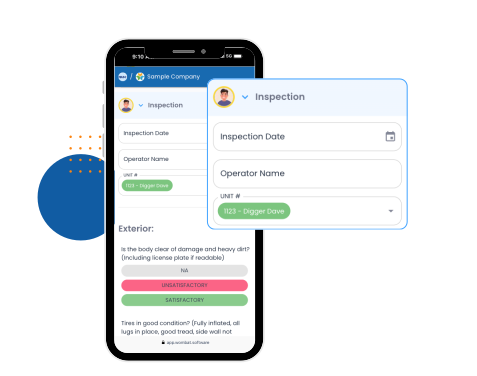
Equipment records can be automatically connected to digital forms and inspections.
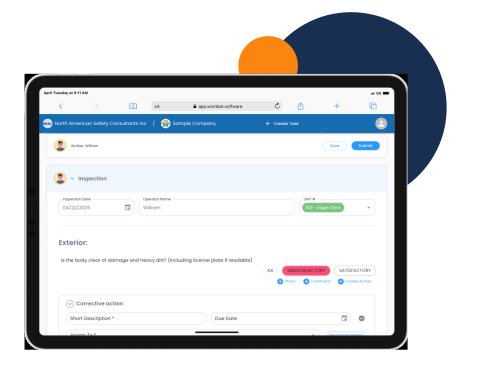
- Add equipment fields directly into digital inspection forms.
- Completed forms automatically populate the equipment’s history.
- Trigger maintenance requests or corrective actions instantly.
- Make pre-use inspections part of daily workflows.
Custom Inspection Checklists
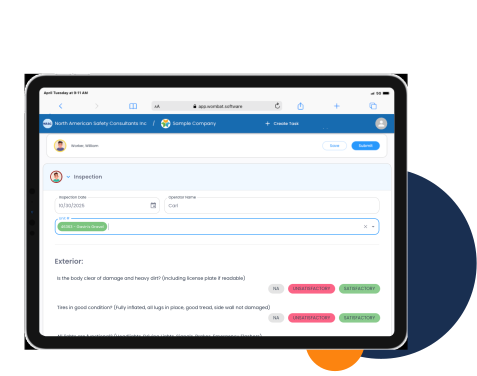
Organizations can standardize inspection processes across all equipment.
- Build inspection checklists by equipment type.
- Create pre-use, scheduled, or custom inspections.
- Use automatic flags to highlight issues needing attention.
- Ensure consistent inspection practices across all locations.
Maintenance Made Simple
Maintenance tasks and repair requests are tracked directly within the equipment record.
- Schedule recurring maintenance so nothing gets missed.
- Record maintenance issues in the field with photos.
- Submit maintenance requests directly to the responsible person’s to-do list.
- Review and resolve requests from the equipment profile.
- Track the full corrective action history for every asset.
Why Equipment Management with Wombat?

Proper equipment tracking means safer operations and better maintenance oversight. By centralizing equipment inventories, inspections, and maintenance records, Wombat Safety Software helps construction, manufacturing, and municipal teams keep assets organized in the field while managers gain reliable, audit-ready equipment data.
Less paperwork. Less admin. More safety.
Frequently Asked Questions About Wombat Safety Software
Equipment Management
What is equipment management in safety software
Equipment management is the process of tracking, inspecting, and maintaining tools, vehicles, and machinery to keep operations safe and compliant.
Can Wombat track different types of equipment?
Yes. You can create custom templates for anything from fleet vehicles to hand tools. Each template includes details, documents, and inspection checklists specific to that type of asset.
How do QR codes work with equipment in Wombat?
Each piece of equipment has its own QR code. Workers can scan the code to instantly access manuals, inspection forms, or maintenance records.
Can inspections and maintenance be tied to equipment records?
Yes. When a form is completed, it’s automatically added to the equipment’s history. Issues found can trigger corrective actions linked to that asset.
How does Wombat handle maintenance scheduling?
You can schedule recurring maintenance tasks and inspections. Automatic reminders ensure they are completed on time.
What happens when an issue is found during an inspection?
A corrective action or maintenance request can be created instantly with photos attached and assigned to the responsible person’s to-do list.
Can managers see equipment status in real time?
Yes. Managers can view inventories, inspection results, outstanding maintenance tasks, and corrective actions across all sites.
Is Wombat audit-ready for equipment records?
Yes. All inspections, maintenance requests, and corrective actions are stored digitally with full history, making audits faster and more reliable.