
Digital Forms

Replace paper with simple, flexible forms that fit how your team actually works. Wombat Digital Forms lets your team capture information, flag follow-ups, and keep records organized.

Smarter Forms, Safer Teams
Smarter Form Experience


Simple, Flexible Digital Form Builder for Safety Teams
You don’t need IT or developers to get started. Wombat’s digital form builder is designed for safety managers, supervisors, and compliance teams who need to create and deploy safety forms quickly.
- Fully flexible - Build the forms you need without limits.
- Easy to learn - Designed for safety professionals, not coders.
- Workflow ready - Automatically routes submissions to the right person for review, approval, or action.
Built-in Corrective Actions
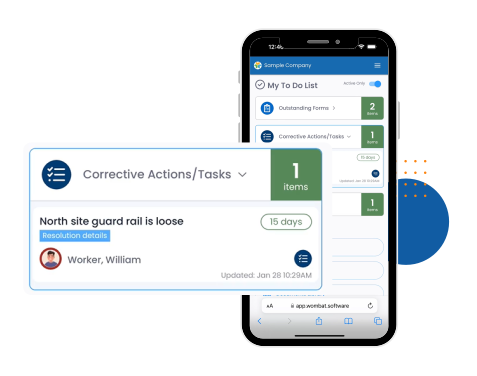
Safety managers and supervisors can assign corrective actions directly inside a form, ensuring fast resolution and clear accountability.
- Corrective actions can be assigned instantly when an issue is identified.
- They appear automatically on the right person’s to-do list.
- Clear notifications ensure nothing is forgotten or delayed.
Always Audit Ready
Safety managers and compliance teams can access complete digital records instantly, making audits and regulatory reporting simple and stress-free.
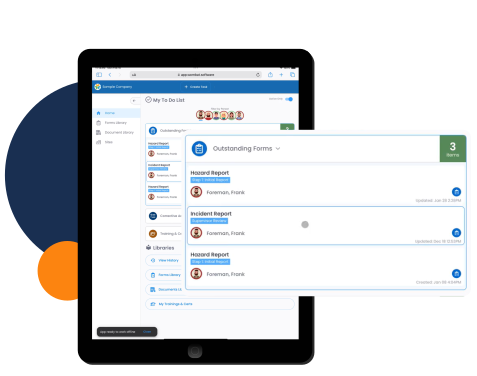
- Report on your form history in seconds.
- Track what’s open, resolved, and overdue across sites or departments.
- Keep everything stored securely in one centralized system so you’re never scrambling for paperwork during inspections or audits.
Why Digital Forms with Wombat?

Frequently Asked Questions About Wombat Safety Software Digital Forms
Can I create my own digital forms without IT support?
Yes. Wombat’s form builder is designed for safety professionals, not developers. You can create, edit, and publish forms on your own without needing outside help whether you’re managing construction sites, manufacturing plants, or municipal safety programs.
Do workers need a login to access forms?
Not always. With Wombat, forms can be accessed directly through a QR code without a login. Perfect for site orientations, SDS sheets, or safety policies that need to be visible on site in construction, manufacturing, or municipal environments.
How do corrective actions work in digital forms?
When an issue is flagged in a form, you can assign a corrective action right there. It’s automatically routed to the right person’s to do list so the loop gets closed quickly.
Can I attach photos or videos to my forms?
Yes. Workers can capture photos, videos, and signatures directly in the form, with time, date, and location stamps for accountability.
What happens if a form is left incomplete?
Wombat shows you all forms in draft mode across every site in real time. You can see what’s unfinished and follow up without chasing down paperwork whether you’re overseeing multiple job sites, production lines, or municipal departments.
Can forms be assigned by site or role?
Yes. Forms can be targeted to specific sites, roles, or individuals, so workers only see what’s relevant to them. This keeps things simple in the field and organized in the office.
How does Wombat handle scheduling recurring forms?
You can schedule recurring forms for anything including inspections, hazard assessments, or audits. Automatic reminders ensure nothing gets forgotten.
Is data from digital forms easy to report on?
Definitely. Wombat keeps a full history of your forms and makes it simple to generate reports. You can see trends, track compliance, and prepare for audits without digging through files.